
How to Cancel Blue Apron Before Your Weekly Cutoff
You can easily cancel Blue Apron before your cutoff, sign in at blueapron.com, open Account Settings, and use the cancel link.
The catch that costs people money is timing, missing your weekly cutoff can leave you locked into a box you don’t want.
Deadline Matters
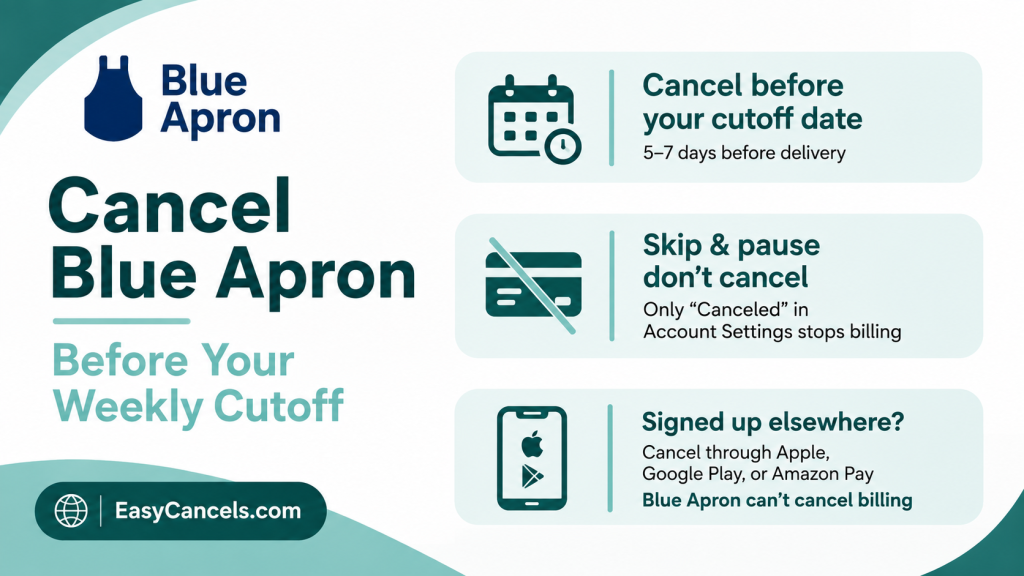
Blue Apron runs on a strict per-order cutoff called your “Changeable before” date and time. You can find it on your Upcoming page and in Account Settings, and it’s specific to your account, usually landing about 5 to 7 days before each delivery.
Check your own date instead of guessing, since it’s the one thing standing between you and one more $60 to $130 box.
Once an order passes that cutoff, it gets marked processing and then ships, and you’re charged for it even if you cancel your account minutes later.
Blue Apron doesn’t refund a box that’s already locked in. This is how they squeeze one final week out of you, so time your cancellation for after your last wanted box but before the next cutoff.
Cancel Blue Apron on the Website
Cancellation happens on the website only. The mobile app is fine for reminders and skipping weeks, but it doesn’t have a cancel button, so you’ll need a browser. Desktop is easiest, since the mobile site tends to bury the link you’re looking for.
- Go to blueapron.com and sign in with your account email and password.
- Open Account Settings.
- You’ll see options to pause deliveries for 4, 6, 8, or 10 weeks, or to cancel. To cancel, click the “click here” link near the bottom of the page, then select Next.
- Work through the retention screens and the short exit survey asking why you’re leaving.
- Go back to Account Settings and confirm your plan status now reads “Canceled,” not “Paused” or “Skipped.” Screenshot it.
The cancel link sitting quietly at the bottom, under the more visible pause button, is on purpose. Don’t stop at pause unless pausing is what you actually want.

Difference Before Act
This is where most “I thought I canceled” charges come from. Skip, pause, and cancel all do very different things.
✦ Skip cancels a single upcoming delivery. Your subscription stays active and bills again as soon as the skipped week passes, so you’d have to remember to skip every single week.
✦ Pause holds deliveries for 4, 6, 8, or 10 weeks, then resumes automatically. Paused weeks show a moon symbol on your Upcoming page.
✦ Cancel ends the subscription completely. It’s the only one of the three that stops the charges for good.

If your goal is to stop paying, skipping and pausing won’t get you there, only a status that reads “Canceled” in Account Settings actually works.
Don’t See a Cancel Option
If Account Settings doesn’t show a cancel link at all, you probably didn’t sign up directly with Blue Apron.
If you subscribed through Apple, Google Play, or Amazon Pay, the billing lives with them, and Blue Apron can’t cancel it from their end. Cancel it where you signed up instead.
For Apple,
- Go to Settings
- Tap your name
- Then Subscriptions.
For Google Play
- Open the Play Store
- Tap your profile
- Then Payments and subscriptions.
This is the most common reason a canceled Blue Apron subscription keeps charging, so check it if the link is missing.
If you signed up through a free trial offer and want out before it converts to paid, timing is everything, we cover that in our guide on how to cancel a free trial before you’re charged.
Refunds and Fees
There is no cancellation fee and no contract with Blue Apron, so leaving costs nothing. But you won’t get back the money for a box that already hit its cutoff.
★ If you were charged for a box, you never received or one that arrived damaged, that’s a different situation and worth raising with support through the Help Center. A refund for just changing your mind after the cutoff is unlikely.
Alternatives to Canceling
If the problem is cost or a busy stretch rather than the service itself, you don’t have to cancel outright.
✦ Pausing for up to 10 weeks buys you a real break without losing your account.
✦ Reducing your plan to fewer servings or fewer recipes per week cuts your weekly total, since Blue Apron prices by box size.
✦ Skipping the occasional week keeps things flexible if you only need the odd delivery.

Confirm Actual Cancellation
Don’t trust the survey screen as proof. Go back into Account Settings and check that the plan status literally says “Canceled,” and keep the screenshot.
Then watch for your next scheduled cutoff date to pass with no new charge on your card.
If Blue Apron charges you after you canceled and the status showed “Canceled,” reply to your cancellation confirmation or contact support with that screenshot.
If they won’t fix it, a chargeback through your bank is the last resort for a charge that came after a documented cancellation.
Few More Things Worth Knowing
Does skipping a week cancel Blue Apron?
No. Skipping cancels one delivery but leaves your subscription active, so it charges again once the skipped weeks pass. Only a full cancellation, confirmed as “Canceled” in Account Settings, stops the billing.
Will I be charged after canceling?
Only for any box that already passed its “Changeable before” cutoff before you canceled. That order ships and is charged with no refund. Anything after your next cutoff should not bill.
Can I cancel Blue Apron in the app?
No. The app lets you skip and manage deliveries but has no cancel option. You have to cancel through blueapron.com in a web browser, ideally on desktop.
Do I get a refund when I cancel?
Not for a box that’s already locked in past its cutoff. Blue Apron doesn’t refund processed or shipped orders, so the only way to avoid a final charge is to cancel before the cutoff.