How to Cancel Your Gousto Subscription (App & Website Methods )
Gousto is easy to sign up for but canceling trips a lot of people up. That’s because canceling your subscription, canceling a single box, and skipping a delivery are three separate actions with separate steps.
I will cover how to cancel on the website and app, what happens to boxes already in your queue, and what to try before you fully cancel.
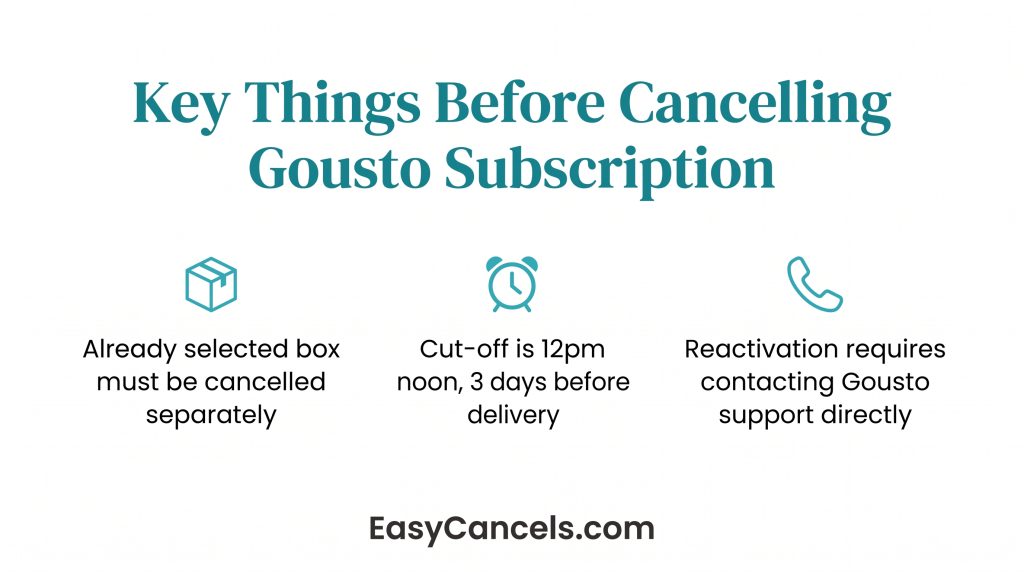
- Canceling your subscription does not cancel any box where recipes are already selected. That box must be canceled separately or it will still arrive.
- The cut-off to cancel or skip any box is 12pm noon, exactly 3 days before delivery. After that, no changes are possible.
- Reactivating a canceled account is not self-service. You will need to contact Gousto Customer Care directly.
Cancel, Skip, or Pause, Pick Your Path
Before jumping into steps, figure out which action you actually need:
| Action | What it does | When to use it |
|---|---|---|
| Cancel subscription | Stops all future deliveries permanently | You want to stop Gousto entirely |
| Cancel one box | Removes a specific upcoming order only | You want to skip a particular week but keep the subscription |
| Skip a delivery | Pauses one week; subscription resumes automatically | You’re away or overstocked for one week |
If recipes are already selected for an upcoming box, cancelling your subscription will NOT cancel that box. It will still be delivered and charged. You must cancel that box separately, see the “Cancelling a Single Upcoming Box” section below.
Alternatives Worth Trying First
If your issue is cost or getting too many boxes, you may not need to cancel at all. Gousto’s subscription management options are more flexible than most people realize.
change your delivery frequency
Switching from weekly to fortnightly or monthly is often enough to fix the problem without cancelling.
- Website: My Gousto → Subscription Settings → Edit frequency
- App: Profile → Subscription Settings → Edit box frequency
Pause your subscription
Pausing removes all future empty delivery slots temporarily without you needing to cancel or call anyone. It’s a clean break that doesn’t require full cancellation.
Skip a single delivery
This is a separate action from canceling your subscription. If recipes are already selected for a box, it will not be canceled automatically. You must cancel it on its own.
Must be done before 12pm noon, 3 days before delivery. If your box arrives on Saturday, you must cancel by Wednesday at noon. After that the order locks and no changes are possible.
- App: Tap the delivery from the Home screen → Skip deliveryate.
- Website: My Gousto → Upcoming deliveries → click the delivery → Skip delivery
If you are wondering why you can not cancel your box, the cut-off has most likely passed. It is not a technical error.
Cancelling Your Gousto Subscription Online
Before starting, if any upcoming box already has recipes selected, cancel that box first. Canceling your subscription will not cancel it automatically and it will still arrive.
Any upcoming delivery slots where recipes have not yet been selected will be automatically removed when you cancel. No manual action needed, no unexpected charges for those empty slots.
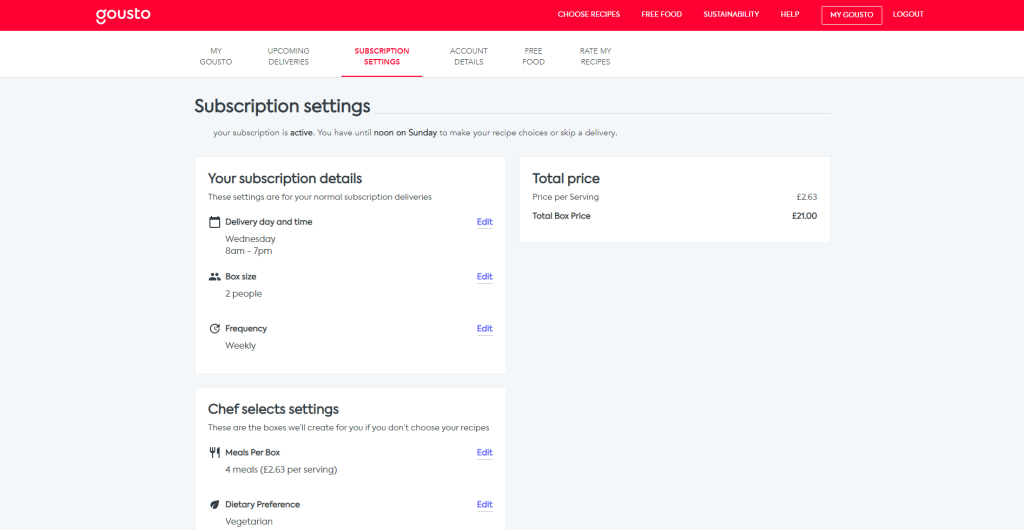
To cancel your Gousto subscription on the website:
- Log in to your Gousto account
- Click My Gousto in the top navigation
- Click Subscription Settings
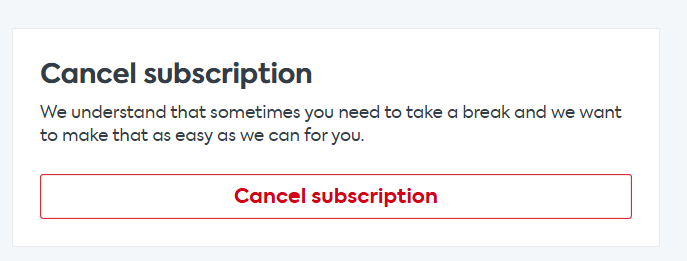
- Scroll down and click Cancel Subscription
Cancelling via the Gousto App
The app cancellation path is completely different from the website flow. Mobile users often can’t find the option because they’re following desktop instructions. The Gousto app is available on both the Apple App Store and Google Play.
To cancel via the app:
- Log in and tap Profile
- Tap Manage Subscription
- Scroll down and tap Cancel Subscription
➤ The same warning applies here, cancelling via the app also does not auto-cancel any box where recipes are already selected. Those require separate individual cancellation regardless of which method you use.
Contact Customer Care
If you’re past the cut-off deadline or hitting a technical barrier, self-service won’t work. Gousto Customer Care is the escalation path for both situations.
Reactivating a cancelled Gousto subscription also requires contacting Customer Care. Unlike cancellation, you can’t restart your account through the app or website dashboard on your own.
If you’ve already cancelled but want an occasional delivery, you can order a one-off Chef’s selection box without reactivating a full subscription.
➤ On the website, go to My Gousto, then Upcoming deliveries, and select Order another box. On the app, it’s Home, then Order another box.

Frequently Asked Questions
Why Can’t I Cancel My Gousto Subscription?
The most common reason is that the 12pm noon cut-off, exactly 3 days before delivery, has already passed. After that point, Gousto locks the individual box and no changes are possible. The subscription itself can still be cancelled at any time via Subscription Settings, but the already-locked box can’t be removed. Contact Customer Care if you think it’s a technical issue rather than a cut-off problem.
Will a Box Still Arrive After Cancelling?
Yes, if recipes were already selected for an upcoming box before you cancelled, that box will still be delivered and charged. Cancelling the subscription doesn’t touch recipe-selected boxes. Any upcoming slots where recipes hadn’t been chosen yet are automatically removed, so there are no surprise charges for those.
How Do I Cancel My Gusto Subscription?
“Gusto” and “Gousto” get mixed up often. If you mean the payroll software, that’s an entirely different service with its own cancellation process. If you mean the UK meal kit brand, the correct name is Gousto, and all the steps in this article apply.
Can I Order a Box After Cancelling?
Yes. After cancelling, you can still order a one-off Chef’s selection box without reactivating a full subscription. On the website, go to My Gousto, then Upcoming deliveries, then Order another box. On the app, it’s Home, then Order another box. To reactivate the full subscription, you’ll need to contact Customer Care directly since this can’t be done through the dashboard.