How to Cancel Your BarkBox Subscription (Step-by-Step, Any Plan)
BarkBox does not make cancellation obvious. There is no cancel button in your dashboard. All cancellations go through a live chat agent on bark.co.
Let me explain every cancellation path including month-to-month, prepaid 6- and 12-month plans, Super Chewer, and gift subscriptions.
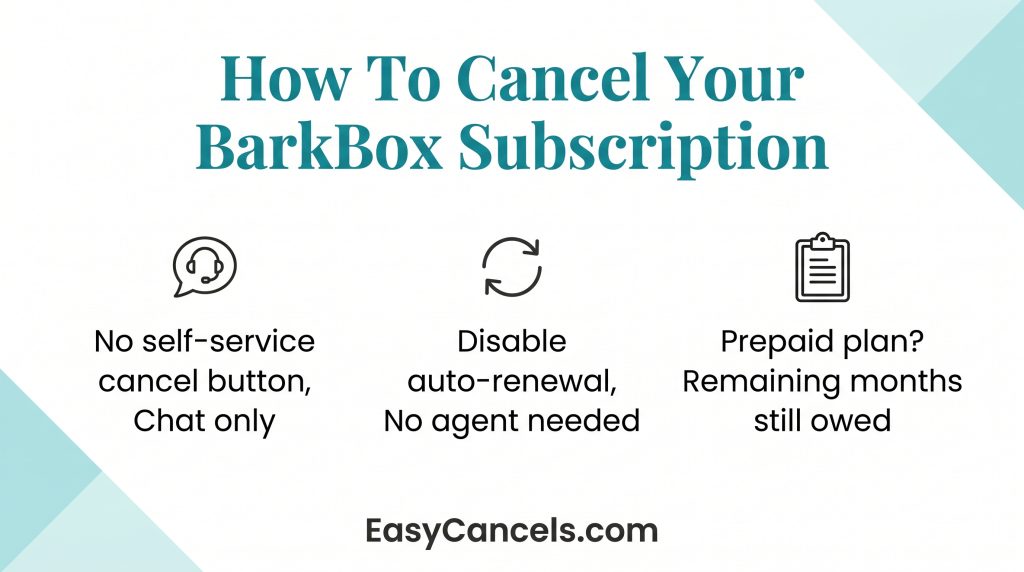
- All cancellations go through BarkBox’s Happy team via live chat at bark.co. There is no self-service option.
- Disabling auto-renewal is faster and does not require a chat agent.
- On a prepaid plan? Canceling mid-term means you still owe every remaining month. Disable auto-renewal instead.
Canceling BarkBox Online
Cancellation only works through a desktop browser. The mobile app doesn’t support it, so open bark.co on your computer or phone browser before you start.
- Log in
- Click your account icon in the top right corner.
- Select Subscription Settings
- Then click Manage next to your active subscription.
- That opens a chat window with the Happy team.
- Tell the agent directly: “I want to cancel my subscription.”
This chat is the only way to cancel. There is no phone number or email form that cancels directly.
Before closing the chat, ask the agent to send a confirmation email and screenshot the transcript. If no email arrives within 24 hours, follow up at bark.co/help right away.
Retention offers you may get
The Happy team will likely offer alternatives before processing your cancellation. Common offers include skipping a month, pausing for 1 to 3 months, downsizing your plan, or getting a discounted month.
If you just want to cancel, say clearly: “I want to cancel, please confirm cancellation in writing.” Agents will not push hard after a firm response.
Disable Auto-Renewal vs. Full Cancellation
These are two different actions and the difference matters financially.
Disabling auto-renewal lets your current subscription run to its end date, then billing stops. No chat agent needed. You can do it yourself in under 60 seconds inside Subscription Settings at bark.co.
Full cancellation ends the subscription now through the Happy team chat. But BarkBox does not refund remaining prepaid months. So, the financial outcome is the same as disabling auto-renewal, except you lose access early for no reason.
★ For most month-to-month subscribers, disabling auto-renewal is the smarter move. Use the chat cancellation only if you were charged unexpectedly and need it sorted right away.

Canceling a 6-Month or 12-Month Plan
BarkBox’s terms are clear, if you cancel a prepaid plan mid-cycle, you still owe every remaining month. Canceling early gives you zero financial benefit.
The smart move is to disable auto-renewal now so the next term does not trigger, then let your current plan run out naturally.
Check your Next Billing Date in Subscription Settings. That is when your current term ends and when a new charge would fire if auto-renewal is still on. Disable it well before that date.
cancel early
BarkBox does not publish an official cut-off window. Based on user reports, canceling at 5-7 business days before your renewal date is the safe window.
Once a box enters fulfillment it cannot be stopped. If your box is already packed or shipped, cancellation will not stop that delivery or its charge. Check your shipment tracking inside your account before contacting support.

Already Shipped Box and Refund Rules
If a box has shipped before your cancellation is processed, you’ll receive it and be charged for it. Cancellation only affects future boxes.
This is the most common complaint on r/BarkBox, and it’s worth checking your tracking status before you start the cancellation process.
BarkBox does not issue refunds for the current billing period or for remaining prepaid months. The only exceptions are documented billing errors, damaged items, or items never received. Canceling your subscription stops future charges only.
★ If you were charged after disabling auto-renewal or after a confirmed cancellation, contact the Happy team first with your chat transcript as proof. If that goes nowhere, dispute the charge with your credit card company as a last resort.
Super Chewer, Gift Plans, and Other Scenarios
Canceling a Super Chewer subscription follows the exact same path as standard BarkBox.
- Log in at bark.co
- Go to Subscription Settings
- Click Manage
- Chat with the Happy team.
The process is functionally identical. If you have both a BarkBox and a Super Chewer subscription, each must be canceled separately since they’re managed as independent subscriptions.
Gift subscriptions
Gift subscriptions are a different situation. They’re tied to the purchaser’s order, not the recipient’s account, and they typically don’t appear in the recipient’s subscription manager.
If you received a gift plan, contact the Happy team via chat or email at bark.co/help with the gift order confirmation number. Gift subscriptions generally can’t be mid-term canceled for a refund to the original buyer.
★ If you also subscribe to BrightDental or Bark Eats, canceling BarkBox does not cancel those. Each Bark product runs as a separate subscription and requires its own cancellation through bark.co.

Frequently Asked Questions
Canceling Your Bark Account vs. Subscription
Canceling your BarkBox subscription stops future billing but does not delete your bark.co account. To fully close your account, contact the Happy team separately and request account deletion. Keeping an inactive account is free, so deletion is only needed if you want your data removed.
Can You Cancel and Get a Refund?
BarkBox doesn’t issue refunds for the current billing period under standard circumstances. Canceling stops future charges only. The exception is documented billing errors; if you were charged after a confirmed cancellation.
Can I Pause or Skip Instead of Canceling
Yes, BarkBox offers skip and pause options as real alternatives to full cancellation. The Happy team can skip one upcoming month or pause your subscription for 1 to 3 months without ending it. If your reason for canceling is temporary, ask the agent specifically for a “skip” or “pause” rather than waiting for them to bring it up.
Can I cancel BarkBox if I moved and can no longer receive deliveries?
Yes, but you still need to go through the Happy team chat at bark.co. Explain your situation to the agent. Moving is a valid reason and agents may process the cancellation faster. If you are on a prepaid plan, you will still owe the remaining months, so ask about pausing or updating your address instead.