How to Cancel Your HelloFresh UK Subscription for iPhone, Android & Online
Canceling HelloFresh UK is straightforward, but small mistakes can leave you charged for a box you didn’t want.
This guide covers every cancellation route available in 2026, including the app on iPhone and Android, the desktop flow, free trial timing, and what to do if a charge still hits your card after you’ve cancelled.
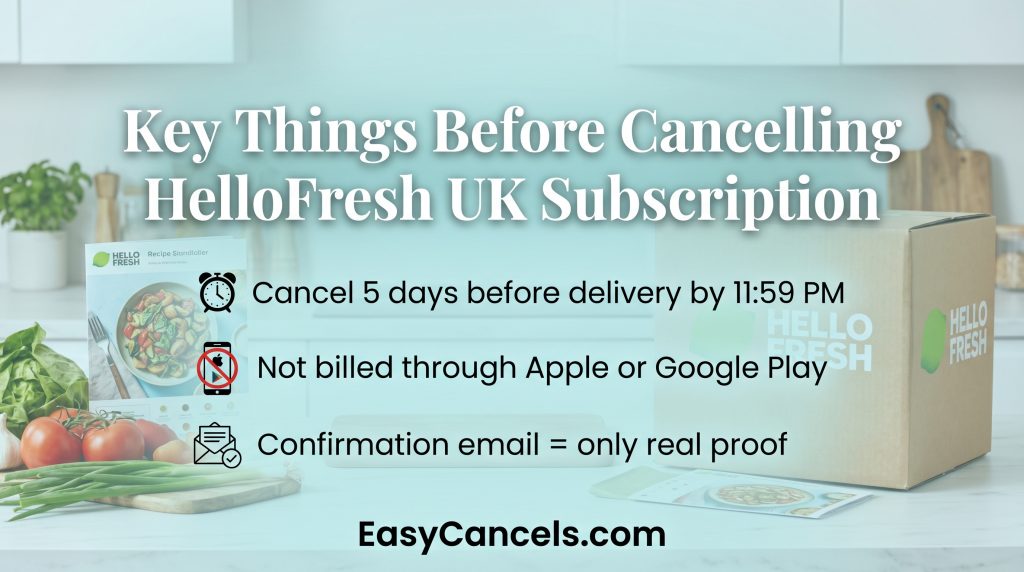
- You must cancel at least 5 days before your next delivery by 11:59 PM GMT/BST or you’ll be charged and dispatched.
- HelloFresh is NOT billed through Apple or Google Play, cancelling via iPhone’s native subscription settings does nothing.
- The cancellation confirmation email is the only reliable proof it worked, not the on-screen message.
Cancelling HelloFresh UK Online
This is the easiest way to cancel.
- Go to hellofresh.co.uk and log in
- Click your name in the top-right corner
- Go to Account Settings
- Scroll to Plan Settings → Status
- Click Cancel Plan and follow the prompts
- Complete the final confirmation screen (you can skip the “why are you leaving” question, but you must finish the last step)
Your cut-off date is personal. It’s not the same for everyone. Find yours in Account Settings under your upcoming delivery schedule.
You must cancel before 11:59 PM GMT/BST, at least 5 days before that delivery date. Miss it and the box ships.
➤ One important thing is that don’t trust the on-screen confirmation message alone. It can show even when something went wrong. Wait for the confirmation email. That’s the only real proof your cancellation worked.
Cancelling via the HelloFresh App
You can cancel straight from the HelloFresh app on any device. The steps are nearly the same on iPhone, iPad, and Android.
On iPhone, iPad, or Android:
- Open the HelloFresh app
- Tap Menu → Account → Plan Settings
- Tap Cancel Plan and follow the prompts to confirm
That’s it. All devices follow the same path.
One thing that trips people up is that HelloFresh is not billed through Apple or Google Play. So, if you check your iPhone’s native subscription settings and don’t see HelloFresh there, that’s normal. It doesn’t mean you’re already canceled. You must cancel inside the HelloFresh app itself.
Same goes for Android. Google Play won’t show HelloFresh, and canceling anything there won’t stop your deliveries.
Confirm Cancellation and Stop Card Charges
After cancelling, HelloFresh sends a confirmation email to your registered address. Expect it within 24 hours. The sender will show as HelloFresh and the subject line references your subscription cancellation.
That email is your proof, screenshot the final cancellation screen too, so you have a timestamp if a dispute comes up later.
If the email doesn’t arrive within 24 hours, treat the cancellation as incomplete. Don’t wait. Contact HelloFresh UK via live chat or phone number. UK customer service contact options in 2026.
Live chat | hellofresh.co.uk/about/contact (fastest) |
Phone | 0800 783 3355 (UK freephone, verify current hours on the site) |
If a charge still hits your card after you’ve received the cancellation confirmation, contact live chat first and reference your cancellation date.
Only escalate to a bank chargeback after HelloFresh support has had the chance to fix it.
If the online or app flow isn’t working for you, these channels can process your cancellation directly. Always ask for a written email confirmation when cancelling by phone or chat.
Cancelling a HelloFresh UK Free Trial
There is no separate process for canceling a free trial. Use the same steps as a regular cancellation through the app or desktop.
The one thing most people get wrong is that the deadline is not 5 days from when you signed up. It is 5 days before your first paid delivery date.
Any free meal vouchers you shared with friends during the trial may still work for them, but those vouchers have no value to you once you cancel.
Pausing or Skipping Instead of Cancelling
Before you cancel, it is worth knowing you have two other options.
Skipping removes one week’s delivery. Pausing suspends deliveries for a set period while keeping your account active.
Both options keep any credits you have. Canceling removes them permanently, so use any credits or referral rewards on a box before you cancel. They cannot be recovered once your account is deactivated.
Skip a week
- Log in and go to Account Settings
- Find your upcoming delivery and click Skip Week
- Must be done before the 5-day cut-off
Pause
- Click Pause Plan and select how long you want to pause
- Go to Account Settings → Plan Settings
Cancellation Doesn’t Automatically Stop
Canceling your HelloFresh subscription does not cancel any HelloFresh Market orders already placed or in progress. These are separate from your meal kit plan and have their own cut-off windows. Check your Market order history before or right after canceling.
If you change your mind, reactivating is simple. Log back in, go to Account Settings, and select Reactivate Plan. Your previous address and delivery preferences are usually saved.
Just note that any credits or vouchers lost at cancellation will not come back when you reactivate. Those are gone for good.
Frequently Asked Questions
Do I Lose Credits When I Cancel?
Yes. Any unused HelloFresh account credits and referral rewards are permanently forfeited when you cancel and can’t be recovered after deactivation. If you have active credits, use them on a box first or consider pausing your account instead to keep them intact.
Can I change my meal plan instead of canceling?
Yes. You can switch your meal plan (number of people or meals per week) anytime through Account Settings. This is a good option if the current plan feels like too much or too expensive.
Does canceling affect my HelloFresh account login?
No. Your account stays active even after you cancel. You can still log in, view past orders, and reactivate your plan anytime.
Can I cancel if I am a HelloFresh gift plan recipient?
Gift plans work differently from regular subscriptions. Once the gifted weeks run out, deliveries stop automatically. You do not need to cancel, but contact support if you want to stop early.