How to Cancel BetterHelp Subscription (App, Web & Free Trial)
Canceling BetterHelp should be quick, but most people run into confusing screens, unexpected charges, or find out their billing runs through Apple or Google, not BetterHelp directly.
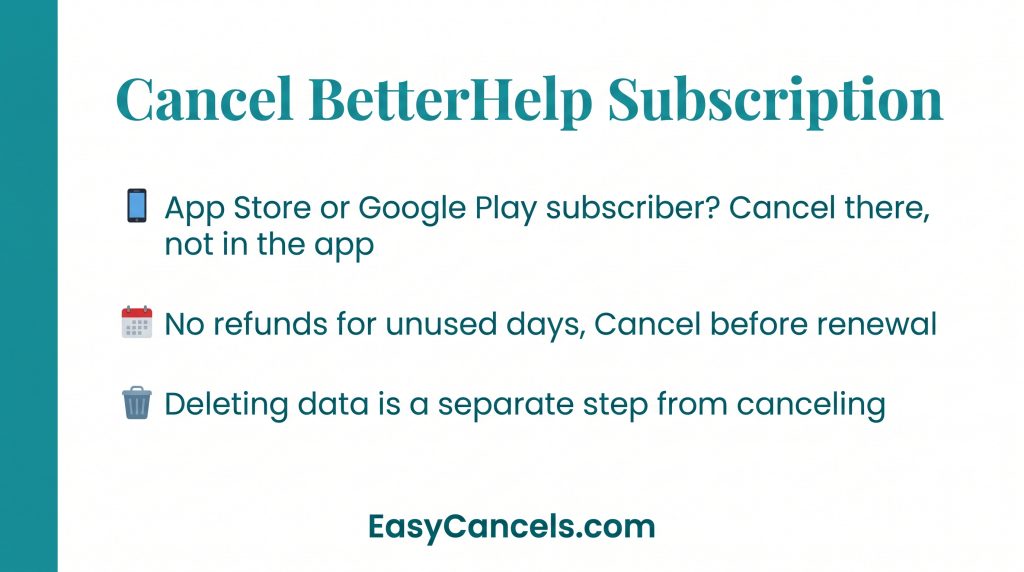
- If you subscribed through the Apple App Store or Google Play, canceling through the BetterHelp app or website will NOT stop your billing. You must cancel through the app store you used.
- BetterHelp does not refund unused days in a billing cycle. Cancel before your renewal date to avoid being charged for another period.
- Canceling your membership and deleting your personal data are two separate actions. One does not do the other automatically.
Canceling BetterHelp on Desktop
- Log in
- Go to Menu
- Then My Account
- Then Payment Settings
- Cancel Membership
★ It will not be quick. The platform makes you click through multiple confirmation screens and press “Quit Therapy” several times before it actually goes through. Keep clicking. You are not done until you see the final confirmation screen.
Confirming your cancellation
After canceling, BetterHelp sends a confirmation email within a few hours. Check your spam folder if it does not show up.
Also screenshot the final confirmation screen before closing the tab.
If no email arrives within 24 hours, log back in and check your membership status under Payment Settings. If you are still not sure, email [email protected] and ask for written confirmation.
BetterHelp has no phone support in 2026, so email is your only option.
Canceling BetterHelp on iPhone or Android
The mobile app uses a different path from desktop.
- Open the app
- Then go More tab
- Then My Account
- Change Membership / Cancel Membership
- Then answer the confirmation questions
The “More” tab entry point trips people up because the desktop version uses “Menu” instead.
If you originally subscribed through the Apple App Store or Google Play Store, canceling inside the BetterHelp app or website does nothing to stop your billing.
Your billing relationship is with Apple or Google, not BetterHelp. This is the most common reason people report being charged after thinking they already canceled.
Stop Billing Through Apple App Store
On your iPhone,
Go to Settings
[Your Name]
Then Subscriptions
Then go to BetterHelp
Cancel Subscription.
This is the only method that stops billing for App Store subscribers. Nothing inside the BetterHelp app itself needs to change after this.
Check back the next day inside iOS Settings. The subscription label should show an expiration date rather than a renewal date. If it still shows a renewal date, the cancellation didn’t go through.
Stop Billing Through Google Play Store
On your Android,
- Open the Google Play Store and tap Profile icon (top right)
- Then click on Payments & Subscriptions
- Then Subscriptions
- Go to BetterHelp
- Cancel Subscription.
★ Google Play may show a “pause” option first. Skip past it and confirm the full cancellation if that’s what you want.
Canceling through Google Play ends the billing relationship with Google. Your therapy access continues until the paid period runs out, then stops automatically.

BetterHelp Refund Policy After Canceling
Canceling mid-billing cycle does not get you a refund for unused days. You lose access to the remaining days in that period. To avoid being charged for another cycle, cancel before your renewal date.
This rule directly applies to free trial users. If the trial ends without a cancellation, BetterHelp charges the full weekly rate. There is no automatic refund. Cancel before the trial ends and save the confirmation email as proof.
Refund exceptions can be requested by emailing [email protected]. Response times are typically 24 to 48 hours.
★ A session cancellation fee and a membership cancellation are two different things. If you canceled your membership but still got charged a session fee, you likely had a scheduled appointment that also needed to be canceled separately.
Pausing BetterHelp Instead of Canceling
Pausing and canceling produce very different outcomes.
- Pausing suspends your billing temporarily while keeping your therapist match and chat history intact.
- Canceling ends billing and your therapeutic relationship entirely.
BetterHelp historically allows pauses of up to four weeks. Check your current account settings to confirm the exact limit, since policy details can change.
To reactivate after a pause, log back in and go to Account Settings, then select “Resume Membership.”
★ If cost is the reason you’re thinking about canceling, check BetterHelp’s financial assistance program before you pull the trigger.
Standard pricing runs approximately $60 to $100 per week as of 2026, but the financial aid option can reduce that rate for qualifying users. The application is available during signup or through your account settings.
If you want to switch platforms instead of stopping therapy, Talkspace is the closest alternative to BetterHelp, offering a similar online therapy model.

Deleting Your Account and Personal Data
Canceling your subscription does not delete your therapy history or personal data. That stays on BetterHelp’s servers until you submit a separate request.
- To delete your data
- Go to Menu
- Then My Account
- Personal Information
- Request Erasure
BetterHelp will send a confirmation email once it is processed. Save that email as proof.
This step is worth taking seriously. In 2023 the FTC took action against BetterHelp over privacy-related data sharing practices. If you shared sensitive mental health information on the platform, submitting the erasure request is a real protective step.
If you are a therapist trying to close your provider account, the standard cancellation flow does not apply to you. Contact BetterHelp through your provider account settings or therapist-specific support. It is a separate process.

Frequently Asked Questions
Can I cancel during the free trial?
Yes, but you must cancel before the trial period ends to avoid being charged for the first full billing cycle. If the trial expires before you cancel, BetterHelp charges the full weekly rate with no automatic refund.
Did my cancellation actually go through?
Check your email for a confirmation from BetterHelp including your spam folder. Then log back in and check Payment Settings to confirm your membership shows as canceled. If you subscribed through Apple or Google, check inside iOS Settings or Google Play instead — BetterHelp’s app will not reflect a store-side cancellation.
How do I reach BetterHelp customer service?
Email [email protected] directly. BetterHelp does not offer live phone support in 2026. You can also find BetterHelp’s customer service FAQ on their site for common account questions.