How to Cancel Your Babbel Subscription ( Full Guide )
Canceling a Babbel subscription sounds straightforward until you realize there are three completely different cancellation paths, and using the wrong one is exactly why people keep getting billed after they think they’ve already canceled.
Before you do anything else, you must remember where did you originally subscribe? Your answer determines everything.
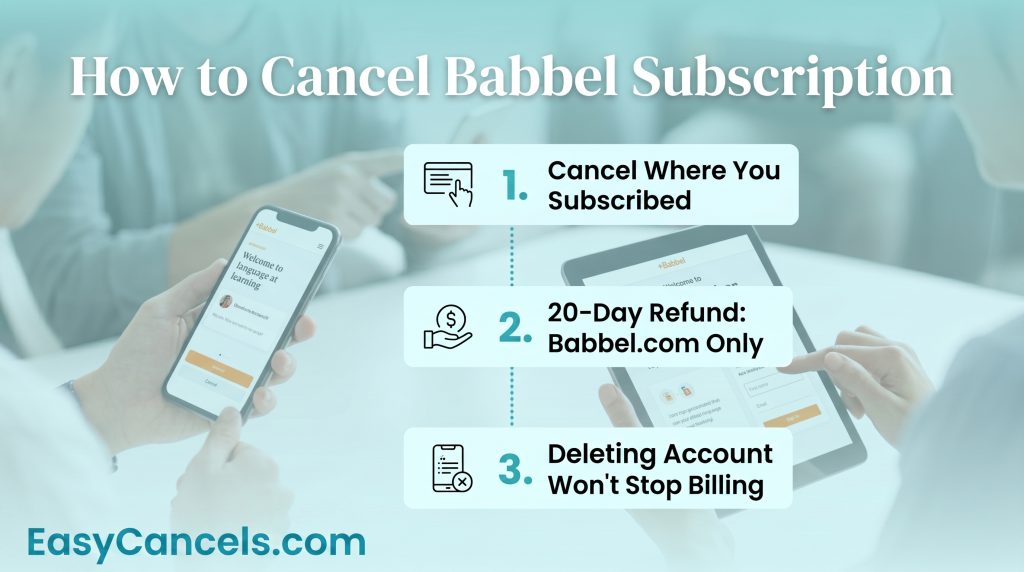
- Canceling through the wrong platform is the #1 reason Babbel charges continue after cancellation.
- Babbel’s 20-day money-back guarantee only applies to direct Babbel.com purchases, not App Store or Google Play subscriptions.
- Deleting your Babbel account does NOT cancel active billing through Apple or Google.
Cancellation Platforms
The single most important thing to know about how to cancel Babbel subscription is that Apple controls billing for App Store subscribers, Google controls billing for Play Store subscribers, and Babbel controls billing only for direct website subscribers. These three systems don’t talk to each other.
If you subscribed through the App Store, you cannot cancel through Babbel’s website. The same rule applies in reverse for Google Play subscribers. Attempting the wrong method leaves your subscription active and your card getting charged.
Canceling on Babbel’s Website
This method only works if you subscribed directly on Babbel.com. Here’s the exact path you can follow:
- Log in at babbel.com
- Click your profile icon in the top-right corner
- Go to Account Settings
- Select Subscription
- Click Cancel Subscription
- Confirm cancellation when prompted
You should receive a cancellation confirmation email.
★ If that email doesn’t arrive within a few minutes, treat the cancellation as unconfirmed and contact Babbel’s support team through their Zendesk-powered help center to verify.
One note for PayPal users is that even if you paid with PayPal, cancel inside Babbel’s account settings, not through PayPal’s own subscription manager. Canceling through PayPal won’t stop Babbel’s billing reliably.
Canceling Babbel on iPhone or iPad
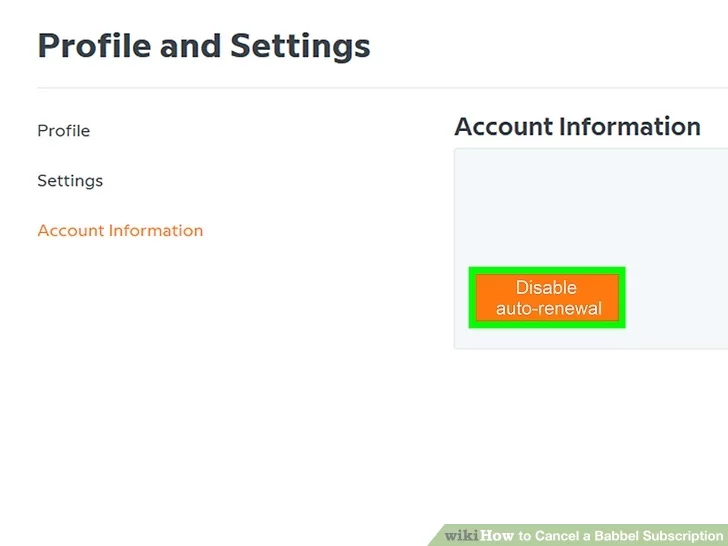
You cannot cancel an App Store subscription inside the Babbel app. There’s no cancel button there that stops Apple billing. You need to go through iOS Settings.
- Open Settings on your iPhone or iPad
- Tap your name at the very top
- Tap Subscriptions
- Tap Babbel in the list
- Tap Cancel Subscription
- Confirm
If Babbel doesn’t appear under Subscriptions, you likely didn’t subscribe through the App Store. Check your Babbel account settings on the web instead.
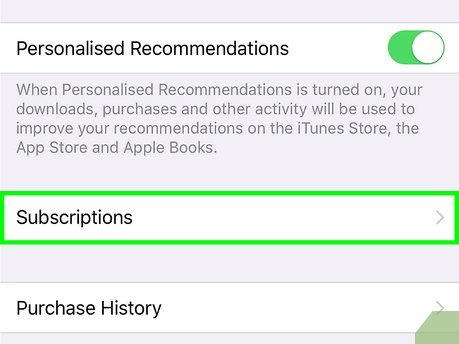
Canceling Babbel on Android
For Android users, Google Play Store is the only valid place to cancel Babbel subscription. Babbel’s website cannot touch a Play Store billing agreement.
- Open the Google Play Store app
- Tap your profile icon in the top-right corner
- Tap Payments & Subscriptions
- Tap Subscriptions
- Select Babbel
- Tap Cancel Subscription
- Follow the on-screen confirmation prompts
★ Because Google controls billing for Play Store subscribers, any refund requests for Android purchases go through Google’s refund process, not Babbel’s 20-day guarantee.
Cancel Before Your Renewal Date
Babbel charges you for a full year the moment your plan renews. If you cancel the day after it renews, you do not get your money back. So cancel before the renewal date, not after.
★ Cancel at least 1 to 2 days early. This gives the system enough time to process your cancellation before the charge goes through.
To find your renewal date, go to your account settings on the Babbel website. If you subscribed through Apple or Google, check your subscription settings there instead. That date is your deadline.
Babbel’s Money-Back Guarantee
If you are a new subscriber and bought Babbel directly from their website, you can get a full refund within 20 days of your purchase.
Canceling your account is not enough to get the refund. You have to contact Babbel’s support team and ask for it yourself. They will not send the money back on their own.
If you bought Babbel through the App Store, Apple handles your refund. Go to reportaproblem.apple.com and request it there. If you bought it through Google Play, request the refund through Google. In both cases, Babbel’s 20-day guarantee does not apply.
After 20 days, Babbel does not give refunds for unused time. The only exception is if they made a billing mistake on their end.
Access and Data After Canceling
Canceling doesn’t cut you off immediately. You keep full access to all Babbel courses and lessons through the end of your current paid billing period. Access ends on your renewal date, not the date you canceled.
Your progress is safe too. Babbel retains all lesson history, XP, streaks, and course progress after cancellation. Nothing gets deleted. If you resubscribe later, everything is right where you left it.
★ Data is only permanently lost if you separately choose to delete your Babbel account. That’s a different action entirely, and it’s irreversible.
Babbel Live and Toucan by Babbel
If you use Babbel Live for tutoring sessions, check your plan before canceling. Some plans include Live access, and some do not. Canceling your main Babbel subscription may also cancel your Live sessions.
Toucan by Babbel is a separate browser extension with its own subscription. Canceling your main Babbel plan does not cancel Toucan. You have to cancel them separately.
Canceling vs. Deleting Your Babbel Account
Canceling and deleting are not the same thing:
- Canceling stops future charges but keeps your account and data
- Deleting removes everything permanently and cannot be undone
Deleting your account does not cancel your App Store or Google Play subscription. If you delete your account without canceling first, you can still get charged. Apple and Google keep billing you even after the Babbel account is gone.
Do it in this order:
- Cancel your subscription first
- Make sure the cancellation went through
- Then delete your account if you want to
To delete your account, go to Profile → Settings → Account Information → “Delete your Babbel account.”
If you own a Group Plan, only the owner can cancel it. Other members can leave the group but cannot cancel it for everyone. When the owner cancels, the plan ends for all members at the end of the billing period. Cancel through the same place where you first subscribed.
If you used a gift or voucher code, there is nothing to cancel. These run for a set time and do not renew automatically.
Frequently Asked Questions
Can I pause my Babbel subscription instead of canceling it?
Babbel does not offer a pause option. If you want to stop being charged, you have to cancel your subscription. Your progress and data will still be there if you decide to come back and subscribe again later.
Does Babbel offer a free trial before subscribing?
Babbel does not offer a traditional free trial. You can try the first lesson of each course for free, but you need a paid subscription to access everything else.
Can I switch my Babbel plan from monthly to annual or the other way around?
Yes, you can change your plan. Log into your Babbel account and go to your subscription settings to see your options. Keep in mind that changes usually take effect at the start of your next billing cycle, not right away.
Do I Lose My Progress When Canceling?
No. Babbel keeps all lesson history, XP, streaks, and course progress after you cancel your subscription. Your data is only permanently deleted if you separately choose to delete your Babbel account. Resubscribe anytime and your progress will still be there.