How to Cancel AT&T Wireless and Internet Without Fees
The fastest way to cancel AT&T depends on what you’re leaving.
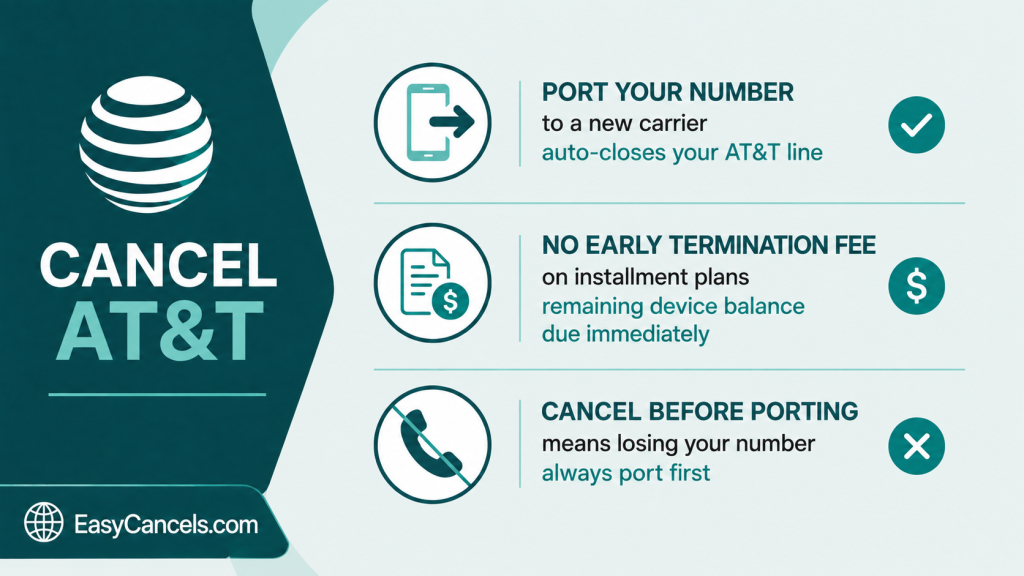
If you’re switching wireless carriers, don’t call at all, just start the number transfer with your new carrier and your AT&T line closes on its own once the port finishes.
For everything else, wireless cancellations go through 800.331.0500 and internet through 800.288.2020.
Few Things to Check First
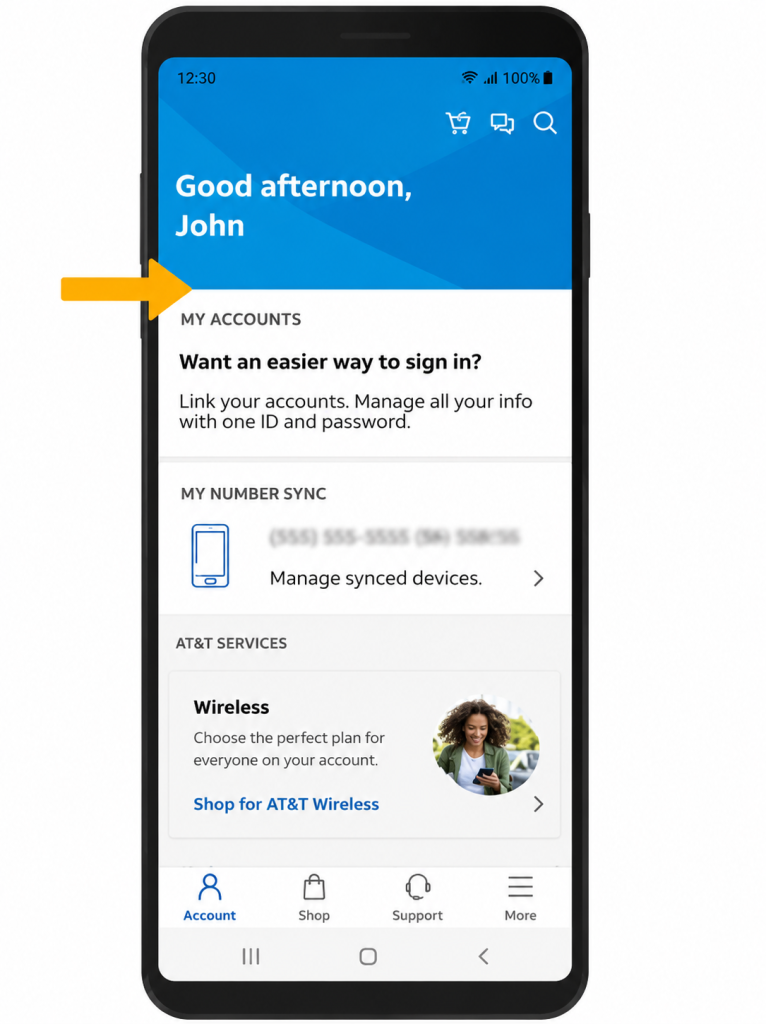
Grab your account number and PIN first, then open the myAT&T app and check your device installment balance.
This amount lands on your final bill in full the day you cancel, and on a phone, you’ve been paying off for six months, it can easily top $700.
AT&T doesn’t prorate your final billing cycle, so you pay for the whole month no matter which day you cancel.
Cancel AT&T Wireless
If you’re moving to another carrier, porting your number is the fastest route and skips the retention pitch entirely. If you’re leaving without keeping the number, you’ll call the cancellation line instead.
Port Number to Close the Line Automatically
- In the myAT&T app or at att.com, open your profile and select Get your Number Transfer PIN. The PIN is 6 to 8 digits and expires after 7 days.
- Note your AT&T account number from the same screen.
- Give both to your new carrier and start service with them.
- When the port completes, your AT&T line cancels on its own, no call needed.
Cancel AT&T before starting the port and you’ll lose the number for good, since a line needs to stay active for another carrier to pull it over. Always port first.
Cancel by Phone or Chat
To close the account outright, choose Chat in the app when it’s offered, or call 800.331.0500.
Expect a save attempt before anyone processes the cancellation, usually a $5 to $15 discount per line, a plan bump, or a waived line fee. Decide before you call if any of that would change your mind, then hold your ground.
★ Customers in Illinois, Massachusetts, and New York who ordered online can sometimes cancel at att.com/attaccount without calling. Everyone else goes through chat or phone.
Canceling Wireless Actual Costs
Leaving AT&T wireless doesn’t come with an early termination fee anymore, since almost everyone’s on an installment plan.
What hits instead is the remaining balance on your financed phone, due immediately on your final bill. You keep the phone, but you pay it off in one shot.
★ There’s a quieter cost too. If you got a phone through a trade-in or “on us” promo, those monthly credits stop the day you cancel, so your real cost is the balance owed minus the credits you lose.
The only people who still face a traditional ETF are those on an older one- or two-year contract, where the fee runs roughly $58 to $325 and shrinks closer to the end of the term.
Cancel AT&T Internet
AT&T Internet, Fiber, and Internet Air cancellations are phone only. Call 800.288.2020 as the account owner, with your account number and PIN ready.
The one exception is an Internet Air account in Illinois or Massachusetts ordered online, which can be canceled at att.com/myatt.
Once it’s done, ask for a confirmation number and write it down, it’s your fastest fix for any billing dispute later.
Fiber has no early termination fee and runs month to month with no annual contract. You also get a 14-day window from activation to cancel any plan for any reason with no ETF.
Legacy DSL, U-verse, or bundled TV and phone plans are the exception, if you’re still in a term commitment on one of those, an ETF can apply, so check your contract status before you call.
Equipment Return Trap
This is where AT&T Internet customers get billed after they thought they were done.
You have 21 days from your disconnection date to return the leased gateway, or AT&T charges a non-return fee of $150 per device. An Internet Air gateway runs $200, and every unreturned Wi-Fi extender adds $65.
The ONT, the small box mounted on your wall or outside the house, stays put and doesn’t need to be returned.
★ The easiest, free way to return it is take the gateway and its power cord, unboxed, to a company owned The UPS Store or FedEx Office with your account number. Staff scan, pack, and ship it at no charge, and you get a receipt.
Before handing anything over, photograph each piece with its serial number and a timestamp, and keep the drop-off receipt and return authorization number.
AT&T has a documented habit of claiming equipment never arrived, and a tracking number alone doesn’t always settle it. The scanned store receipt does.

Refunds and Final Bill
Since AT&T doesn’t prorate, there’s usually little to refund.
Your service stays live until the billing period ends, and the final bill covers that full month plus any device installment balance, forfeited credit adjustments, and normal fees.
If you overpaid or left a deposit, AT&T credits it back, usually to your last payment method within a couple of billing cycles.
To chase a credit you’re owed, ask for it on the same call or through myAT&T chat, and get the amount and reference number in writing. Keep an eye on the account for two full cycles after you cancel, that’s when stray charges tend to show up.
Before Fully Cancelling
If the goal is a lower bill rather than a clean break, AT&T has softer options.
✦ On wireless, you can suspend a line temporarily instead of closing it and triggering the device balance.
✦ You can also transfer billing responsibility to another person, which keeps the number and plan alive under a new owner.
✦ If the plan is too expensive, downgrading to a cheaper unlimited tier keeps your number and history intact.
✦ On the internet side, ask about switching from Fiber to the cheaper Internet Air, or moving the service to your new address instead of canceling and re-signing later.
If signed up for AT&T’s free wireless trial and want out before it converts, its covered in our guide on how to cancel a free trial before you’re charged.
Double-Check Before Walking Away
A cancellation isn’t finished until you’ve confirmed it.
- If you ported your wireless number, screenshot the “port complete” or “transfer successful” message from your new carrier, that’s your proof the AT&T line closed.
- If you canceled by phone, get the confirmation or return authorization number in writing and note the agent’s stated disconnection date.
Then check your next bill and the one after it.
If AT&T charges you again after the disconnection date, dispute it through myAT&T chat within 60 days with your confirmation number in hand.
If that stalls, your last resort is a chargeback through your bank or card issuer for charges after a documented cancellation. That’s slower and worth avoiding, but it’s there when AT&T won’t fix its own error.
Other Common Questions
Does porting my number cancel AT&T automatically
Yes. Once the port to your new carrier completes, the AT&T wireless line closes on its own with no separate cancellation call. It only works for the line tied to that number, so any other lines on the account still need to be handled.
Do I keep my phone if I still owe on it
Yes, the phone is yours. The catch is that the full remaining installment balance becomes due on your final bill the day you cancel, and any promotional bill credits tied to it stop.
Does AT&T charge a cancellation fee
Not on standard wireless installment plans or on Fiber. You may still owe a device balance on wireless, and legacy DSL, U-verse, or bundled contracts can carry an early termination fee if you’re inside a term commitment.
Can I cancel AT&T online
Rarely. Wireless can sometimes be canceled online in Illinois, Massachusetts, and New York if you ordered that way. Internet is phone-only for almost everyone, aside from an Internet Air account in Illinois or Massachusetts ordered online.