How to Cancel Your Rosetta Stone Subscription (All Methods + Refund Guide)
Canceling Rosetta Stone is more confusing than it should be. The platform uses unclear button labels, runs two separate account systems, and handles cancellations differently depending on where you bought it.
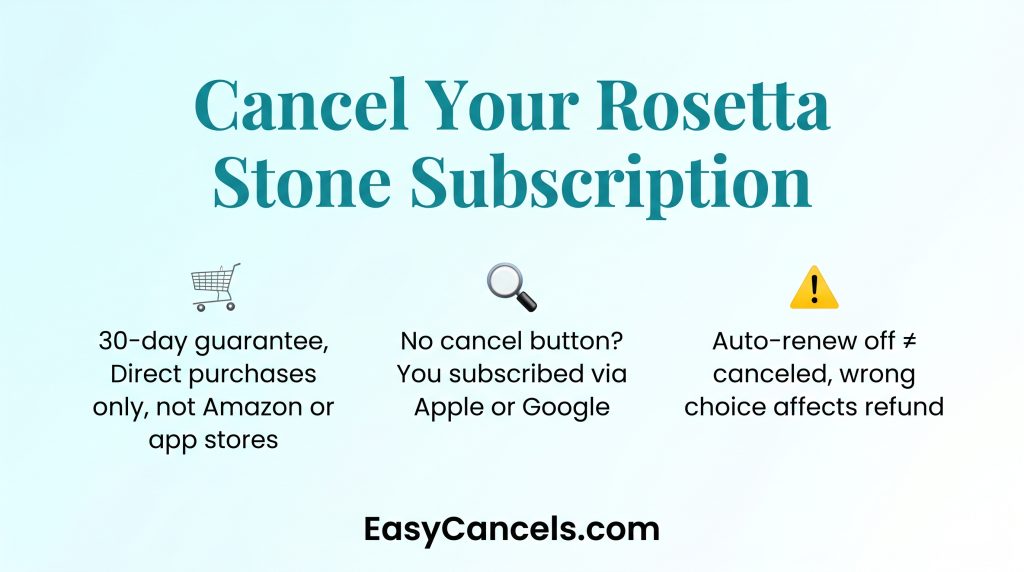
- The 30 day money back guarantee only applies to direct rosettastone.com purchases, not Amazon, Costco, or app store buys.
- If the cancel button is missing on the website your subscription was most likely bought through the App Store or Google Play.
- “Turn Off Auto Renew” and “Cancel Subscription” are not the same thing. Choosing the wrong one affects your refund eligibility.
Identifying the Platform First
Rosetta Stone has two platforms in 2026, Sapphire and Classic. Each has a different cancellation path so figure out which one you are on before doing anything else.
- Sapphire: Card based layout with a left side navigation panel
- Classic: Top toolbar with your current learning language displayed
Also check your bank statement since billing may show up under IXL Learning instead of Rosetta Stone. And confirm where you originally bought your subscription since that determines which cancellation path applies to you.
Canceling on Rosetta Stone’s Website
Before you click anything understand that Rosetta Stone replaces “Cancel Subscription” with “Turn Off Auto Renew.” These are not the same thing.
Turning off auto-renew stops future billing but keeps your access until the current period ends. Canceling may end access sooner and opens refund eligibility. Choose based on your goal.
Canceling a Sapphire Subscription
- Log in at rosettastone.com
- Click your profile icon in the top right
- Go to Account Settings then Manage Subscription
- Click Cancel Subscription and confirm
After canceling screenshot the confirmation screen and check your email within 24 hours. If no email arrives check your spam folder. Still nothing after 24 hours then email [email protected] to confirm.
Canceling a Classic Subscription
- Log in and click your current learning language on the top toolbar
- Select My Account
- Scroll to Your Products and click Turn Off Auto Renewal
This is the only self-service option on Classic. Your access continues until the current billing period ends. If you need a refund contact [email protected] directly since this toggle alone will not get you one.
Canceling via iPhone or Android
If you bought your subscription through the Apple App Store or Google Play the cancel button on Rosetta Stone’s website will be missing or grayed out.
You must cancel through the platform you bought it from.
The cancel button may also be missing if you are on a free trial with no active paid subscription or if it is a browser issue. Try a different browser or clear your cache before assuming something is wrong.
Cancel on iPhone
- Open Settings and tap your Apple ID name at the top
- Tap Subscriptions and find Rosetta Stone
- Tap Cancel Subscription and confirm
Your access continues until the end of your current billing period.
Cancel on Android
- Open Google Play and tap your profile icon
- Go to Payments and Subscriptions then Subscriptions
- Find Rosetta Stone, tap Cancel Subscription, and confirm
★ For refunds on Android follow Google’s own refund policy not Rosetta Stone’s 30 day guarantee. Contact Google Play support directly for refund requests.
Refunds and Third-Party Purchases
Rosetta Stone offers a 30-day money back guarantee for direct purchases from rosettastone.com. Many sources say 14 days but the correct window as of 2026 is 30 days from your purchase date.
Refunds are not available for purchases made with gift cards or promotional codes.
Third-Party Purchases
Rosetta Stone cannot process refunds for purchases made through Amazon, Costco, or Best Buy. Contact the retailer directly and act quickly since each has its own return window and policy.
Lifetime or One-Time Purchases
There is no subscription to cancel for lifetime purchases. If you want a refund contact [email protected] directly. The 30 day guarantee applies to direct rosettastone.com purchases only.
Before Cancellation
If cost is the main issue consider these options before canceling:
- Switch from annual to monthly billing under Change Subscription Type in your account settings
- Email [email protected] to ask about a pause or freeze option since Rosetta Stone does not advertise this publicly
- Ask about downgrading to a lower tier plan if one fits your needs
★ For family plans only the primary account holder can cancel. Log into the primary account and follow the standard steps. If the family plan was bought through an app store cancel through that store’s subscription management instead.
Progress and Data After Canceling
Rosetta Stone does not delete your account or learning history when you cancel. You can reactivate your subscription anytime through Sapphire’s account settings and your progress should still be there. If this matters to you confirm it with support before canceling especially on Classic.
Confirm Your Cancellation Went Through
- Check your email within 24 hours for a confirmation and save it
- Log back into account settings and verify auto-renewal shows as off or your status shows canceled
- Screenshot the confirmation screen as proof
If no email arrives contact [email protected] to verify.
Frequently Asked Questions
Can I get my money back from Rosetta Stone?
Yes, if you bought directly from rosettastone.com. The 30-day money back guarantee applies to direct purchases only. Contact [email protected] or call 1-800-ROSETTA within that window. Third-party purchases must go through the retailer directly.
“Turn Off Auto Renew” vs. actual cancellation?
Turning off auto-renew stops future billing but keeps access until your current period ends. Canceling may end access sooner and opens refund eligibility. Choose based on your goal.
Why is the Cancel button missing or greyed out?
Either your subscription was bought through the App Store or Google Play and must be canceled there, you are on a free trial with no active paid subscription, or it is a browser or cache issue. If none of those apply contact [email protected].
How do I cancel a lifetime purchase?
Lifetime purchases are not recurring so there is nothing to cancel. If you want a refund contact [email protected]. The 30 day guarantee applies to direct rosettastone.com purchases only.
Can I Share My Rosetta Stone Subscription With Someone Else?
Yes, Rosetta Stone allows multiple learner profiles under one account. You do not need separate subscriptions for each person. Log into your account and add a learner profile from your account settings.